Mesh
The mission lives on every device, not on a server.
EdgeLance Mesh replicates the mission workspace device to device across whatever link is up. There is no authoritative cloud to lose. Each node holds the mission, relays for its neighbors, and keeps working alone when it has to.
In the product
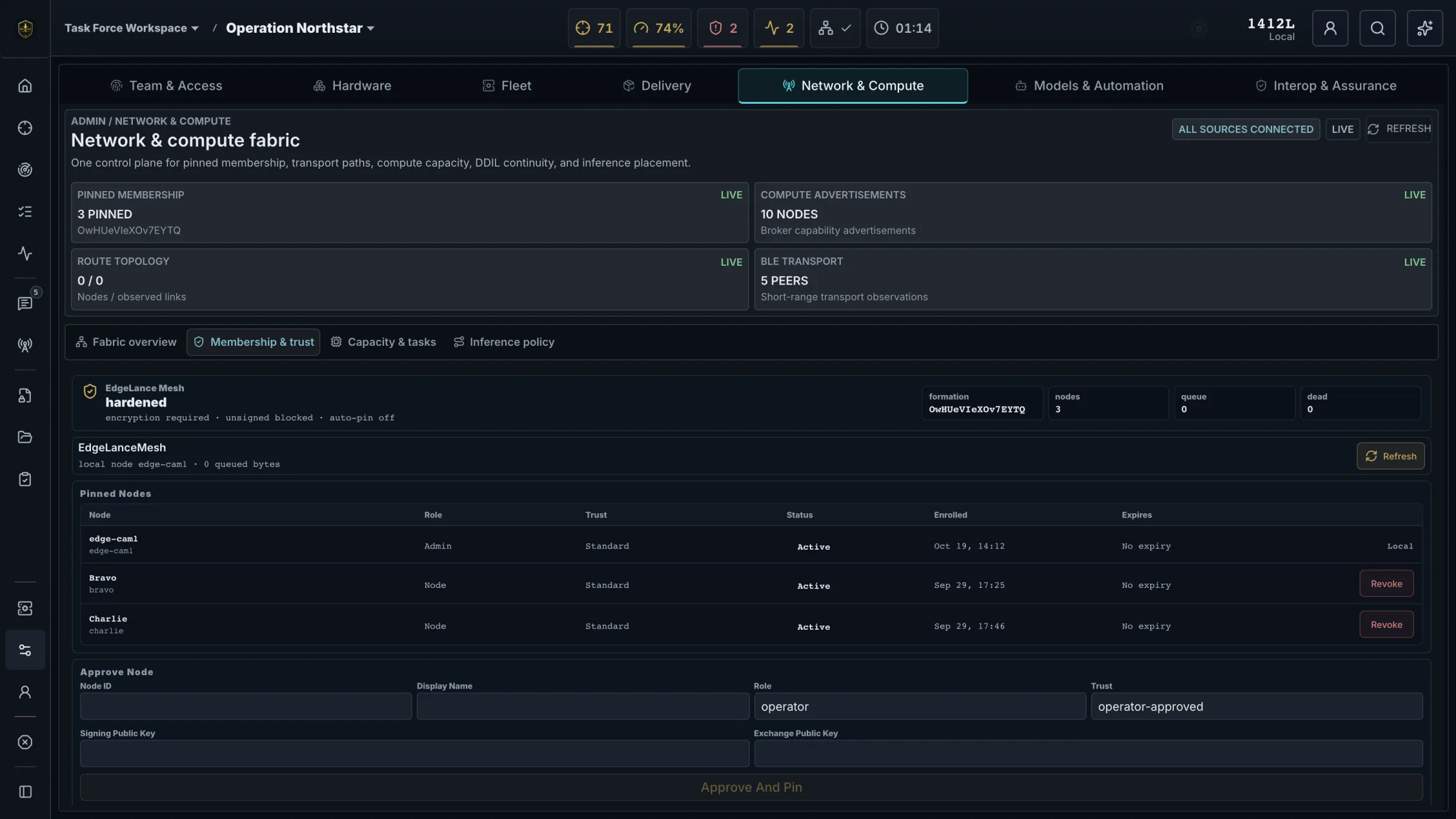
Membership, transport, and trust in one view.
The S6 sees which nodes are pinned to the mission, how they are connected, and what is queued. New devices join only with approval, and any node can be revoked from the same screen.
How it behaves
Built for the network you actually get.
Relay
A message posted on one node reaches a node it has never connected to, carried across intermediate peers. Tasks, map markers, and notes travel the same path.
Partition
When a link drops, each side keeps working with its own copy of the mission. Nothing waits on a server.
Heal
When the link returns, both sides converge on their own and show what was caught up. Nobody reconciles by hand.
Revoke
Remove a node from the mission and it is cut off at once. Anything it writes stays with it.
Isolation
A node that loses every peer keeps running the full workspace and syncs the backlog when a path returns.
Transport and trust
Every link authenticated. Every event signed.
- Mutual TLS 1.3 over QUIC between enrolled nodes
- Every event signed and chained, so tampering and gaps are visible
- Durable outbox on each node: nothing is lost while a link is down
- Pinned membership with operator approval for new nodes
- IP networks, satellite, Bluetooth, LoRa, serial radio, and physical courier
- Priority-aware payloads sized to the link that is available
Compute placement
The right device does the work.
- Routes AI and vision work to the node with the model loaded and the capacity to run it
- Accounts for battery, thermals, trust level, and queue depth
- Moves work off a phone to a laptop or forward server when one is reachable
- Falls back to on-device execution when nothing else is
Briefings
Cut the link and watch it keep working.
We partition the network mid-mission and show the team operating through it.
Request a briefing